Graveyard Keeper 2 Tech Tree: Points and Branches
Learn how the five Graveyard Keeper 2 tech trees connect, where to spend red, green and blue points, and how to use Study Table research for an early boost.
FAQ
How many tech trees are in Graveyard Keeper 2?
What is the fastest early way to get tech points?
Do I need to unlock every node in order?
Does studying an item repeatedly give the same reward?
What does the tech tree do?
The tech tree is the progression screen for Graveyard Keeper 2. It separates mastery into Building, Smithing, Farming, Book writing and Anatomy, then connects individual unlocks with prerequisite lines. Community data lists 194 buildings in the game, 176 buildings that need a technology unlock, and 355 of 416 recipes that require technology. Those figures are useful for planning, but the node labels in your current game are the final authority after a patch.
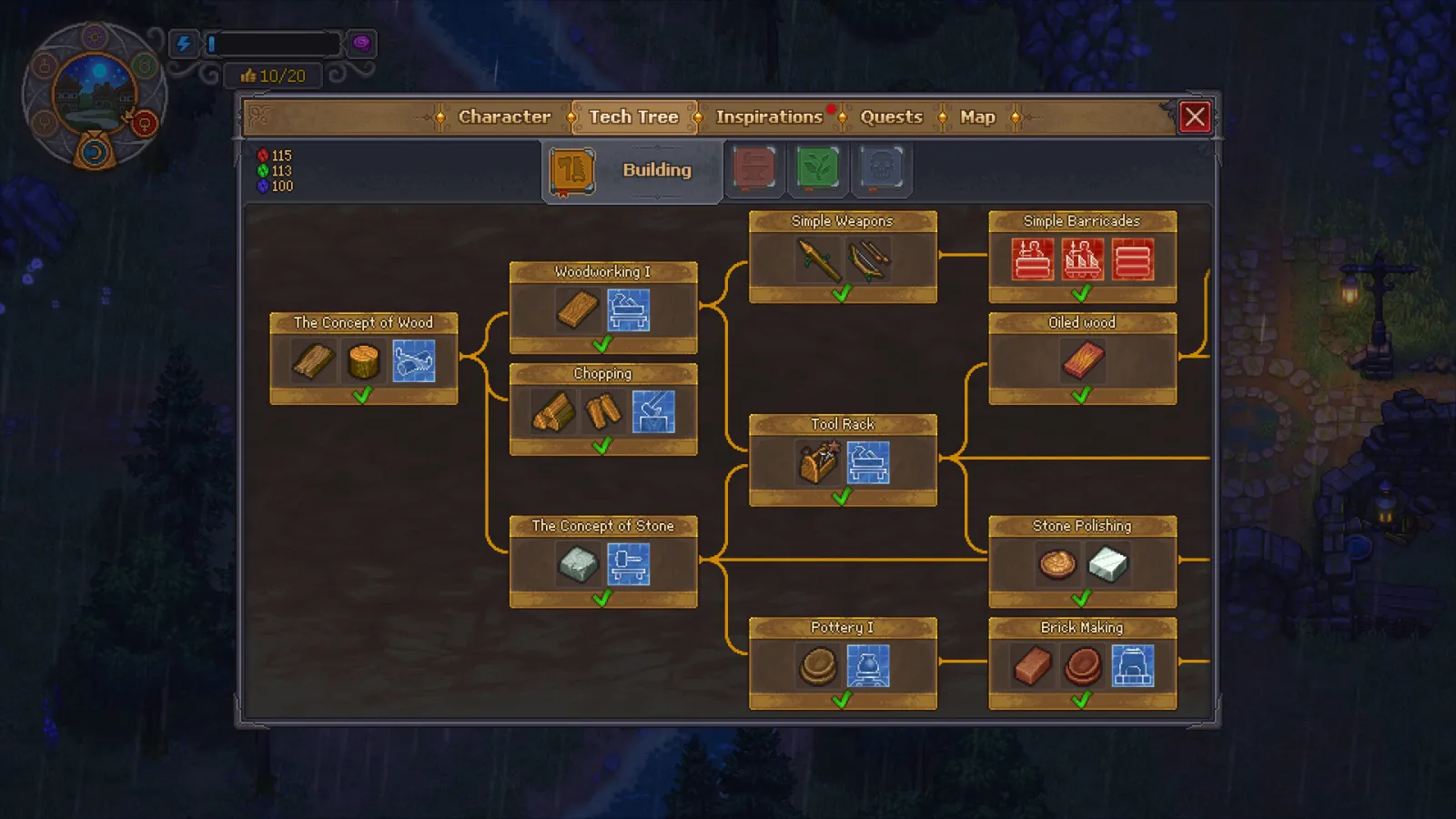
The official Steam screenshot gives the clearest map of a branch: start at a concept node, then follow the connected unlocks toward the stations and recipes you want.
The three point counters sit at the left of the tree. A node consumes the point colours shown by its requirement, so keep a reserve for the next prerequisite instead of spending every point on the first visible upgrade.
The five branches at a glance
| Branch | Use it when your bottleneck is | Planning question |
|---|---|---|
| Building | Structures, wood and stone processing | Which connected node reaches the station or construction recipe I need? |
| Smithing | Metal processing, tools and smithing recipes | Do I need a tool upgrade before a more expensive production line? |
| Farming | Crops, garden infrastructure and farming recipes | Will the next node support the crop or bed that feeds my current line? |
| Book writing | Paper, books and writing production | Which writing unlock supplies the research or order chain I am building? |
| Anatomy | Organ work and the anatomy side of progression | Is this unlock needed for my current laboratory or zombie plan? |
This is a bottleneck guide rather than a universal tier list. Follow the branch that removes the thing stopping your next project, and use the production calculator to check the exact recipe requirement before you buy a node.
How to spend tech points without wasting them
- Open the Tech Tree tab. The branch tabs and the red, green and blue counters are visible across the top and left of the screen.
- Pick the target unlock first. Read the connected line back toward its prerequisite instead of buying a nearby node just because it is lit up.
- Keep the matching point colour available. A node can be reachable on the map and still be unaffordable if its point counter is short.
- Buy the prerequisite chain. Work from the concept or earlier node toward the station, recipe or mastery that solves your bottleneck.
- Recheck the next craft. Once the node is bought, open the relevant recipe or use the factory production calculator before committing materials to a larger automation line.
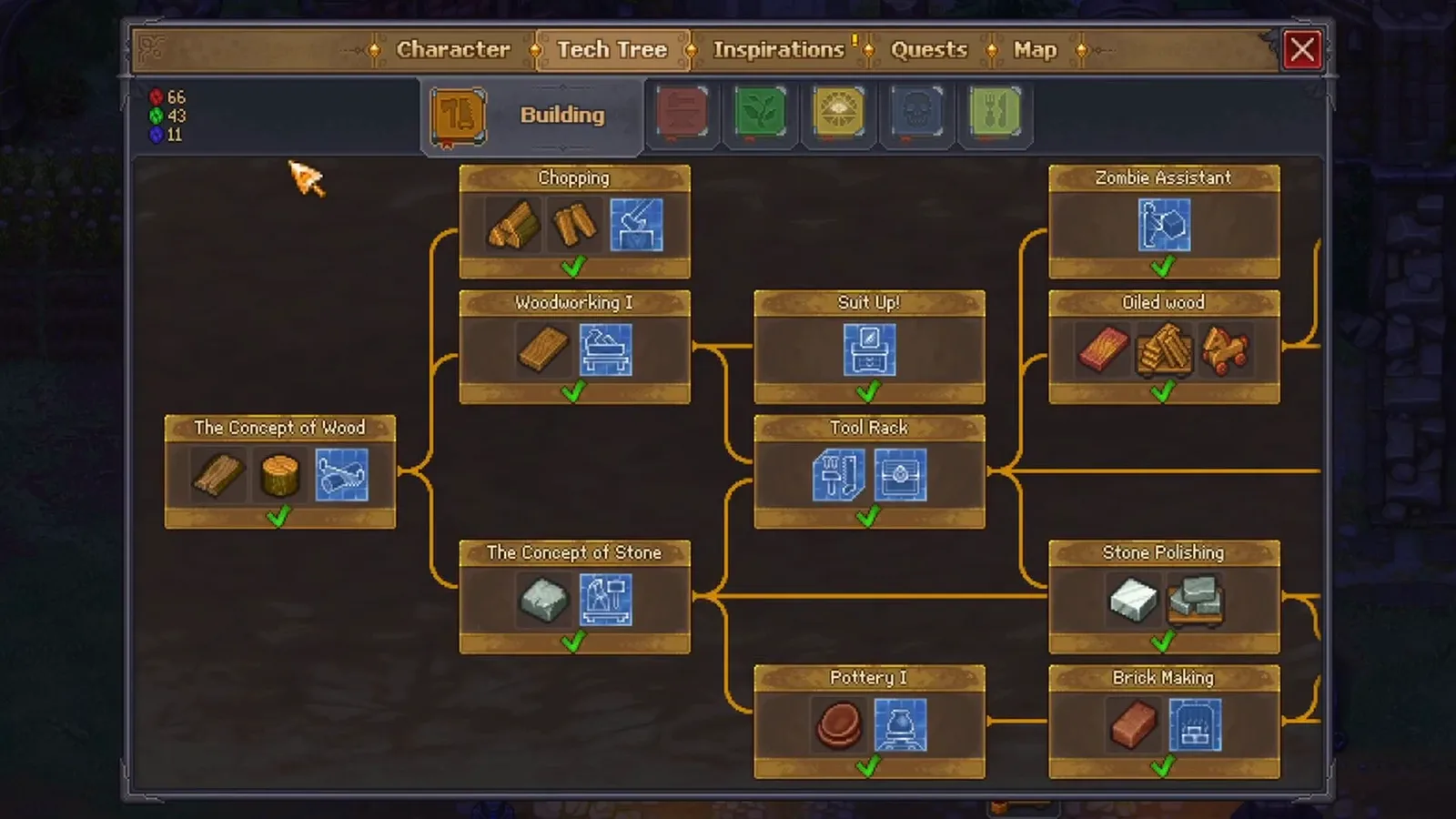
This video frame is from the linked community demonstration at about 00:15; the visible branch confirms the same Building labels shown in the official screenshot.
How to farm an early research payout
The short video linked below focuses on one practical route: find something you have not studied yet and take it to a laboratory. The Study Table screen shows the item slot, the current requirements and the Study button before you commit.
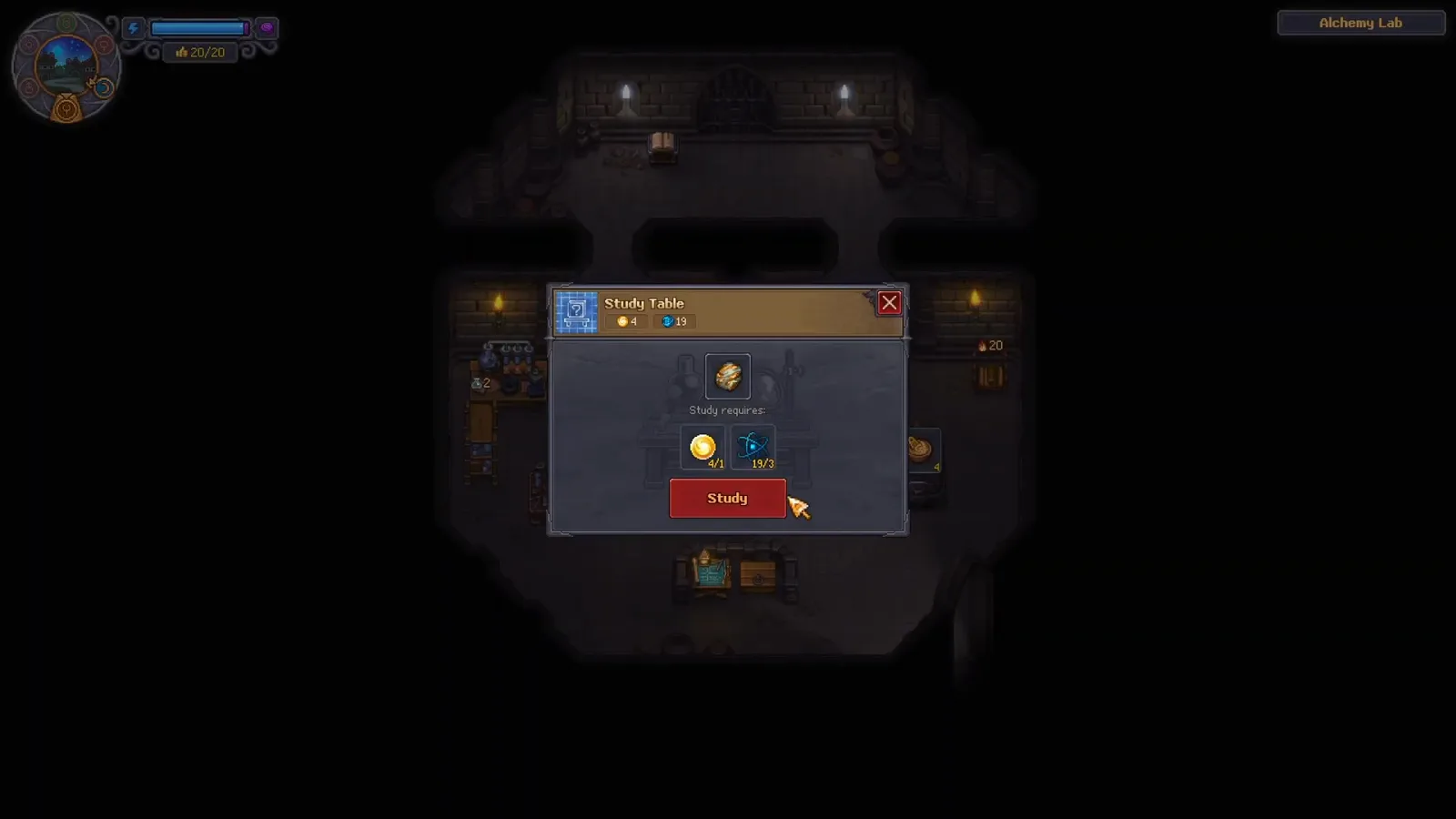
- Keep an unstudied item. The source advice is to look for an item you have not already researched, rather than trying to spend points on an item whose study icon is gone.
- Open the Study Table in the laboratory. Place the item in the table and read the requirements shown on the confirmation panel.
- Press Study when the requirements are met. The reward is a research payout, not a permanent replacement for earning points through play and crafting.
- Return to the tech tree. Spend the new points on the prerequisite chain that advances your current build.
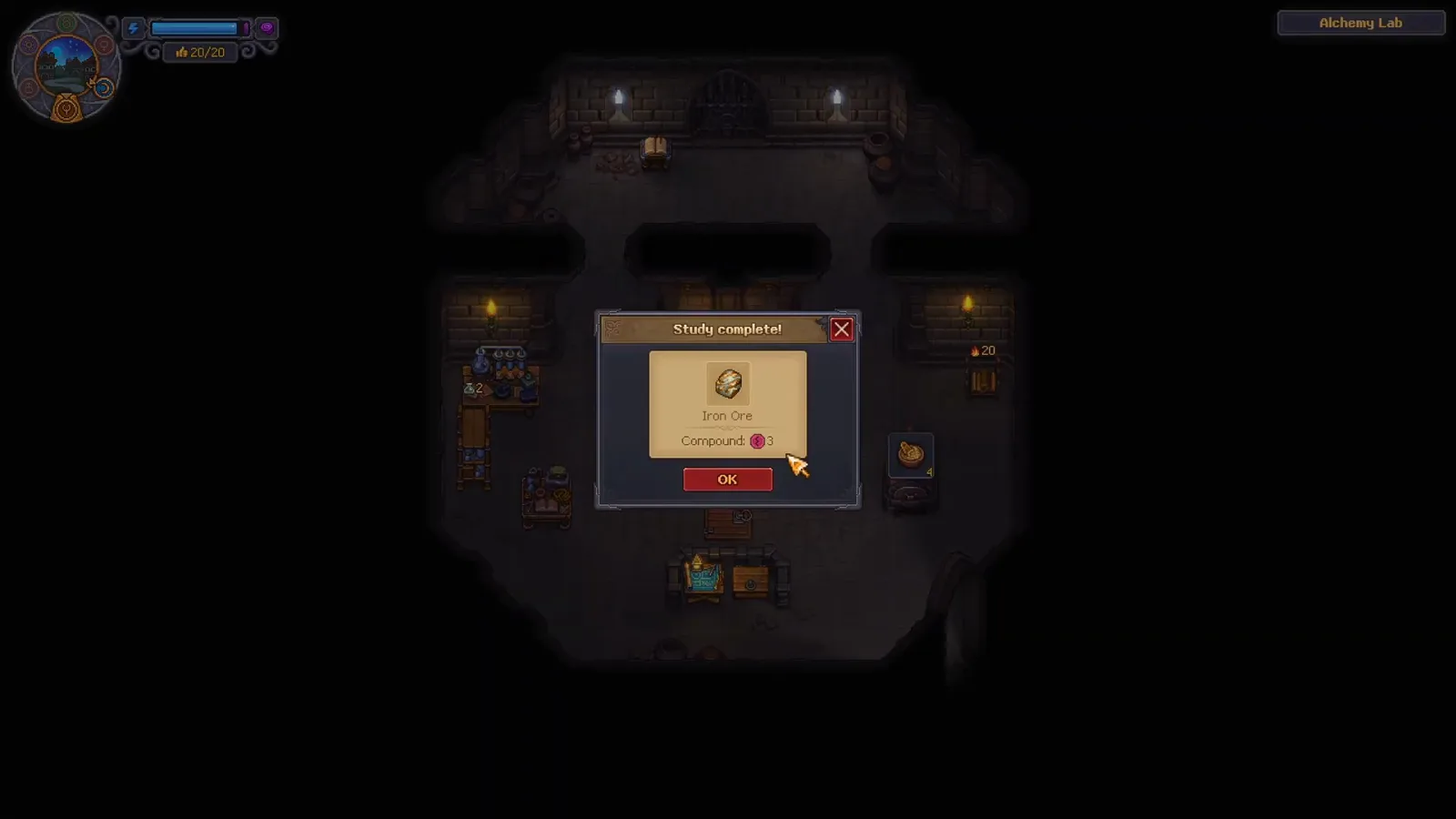
At about 00:46 the video ends on a Study complete dialog for Iron Ore. The displayed Compound: 3 is evidence for that clip, not a promise that every item awards the same amount.

How to use Study to advance the Graveyard Keeper 2 tech tree
Source and version notes
The step-by-step study sequence is adapted from Sarcasual Gaming’s Graveyard Keeper 2 tech tree video, checked at 00:00, 00:15, 00:40 and 00:46. The video is a community demonstration; the branch names and wider progression notes are cross-checked against the official Steam page and this site’s researched 1.007 data. The page does not turn the video’s single Iron Ore result into a general farming promise.
Related Graveyard Keeper 2 planning pages
- How to make zombies — connect Anatomy and worker mastery planning to the resurrection route.
- How the production calculator works — check mastery requirements before buying a node.
- Factory production calculator — plan the stations and supply line that your Building and Smithing unlocks support.
- Release date and patch history — confirm the 1.007 data target before comparing an older guide.
Related Articles
guides
Graveyard Keeper 2 Automation: Factory Guide
Build a reliable Graveyard Keeper 2 automation loop with zombie power, conveyors, factory stations, fuel automation and city supply orders step by step.
guides
Graveyard Keeper 2 Orders Guide — Town Warehouse Walkthrough
Learn when Town Warehouse orders open, how to accept up to two, craft the requested supplies, deliver them, and check the weekly order cycle.
guides
Graveyard Keeper 2 All Endings — Routes & Final Battle
Every Graveyard Keeper 2 ending from verified sources: the endgame quest chain, The Last Battle war power check and the Go or Stay choice. Full routes inside.
Was this helpful?
Thanks for the feedback!