Graveyard Keeper 2 Character Creation: What You Can Customize and When
Graveyard Keeper 2 has no opening character creator — customization unlocks later via Suit Up! Build the dresser with mirror to change hair, beard and clothes.
FAQ
Does Graveyard Keeper 2 have a character creation screen?
How do you unlock appearance customization in Graveyard Keeper 2?
What can you customize at the dresser?
Where do clothes come from in Graveyard Keeper 2?
Can you change gender or body type in Graveyard Keeper 2?
Quick answer
Graveyard Keeper 2 does not open with a character creation screen. Every checked recording goes straight from the New Game button into the intro cutscene, and you play a fixed keeper from the first minute. What the game offers instead is mid-game appearance customization: unlock the Suit Up! technology, build the dresser with mirror in your house, and change hairstyle, beard, hair color, clothes and clothes color there.

How to Customize Your Character - Graveyard Keeper 2 — The Lost Noob
The steps and screenshots below follow a 73-second customization walkthrough by The Lost Noob recorded on the released game. Three longer recordings — a release-day first look, a 100-day run and a beginner mechanics video — cross-check what the start of a new save does and does not offer. Numbers read directly off the screen are marked as such, and anything the videos never show is listed in a boundary section at the end rather than filled in.
Does Graveyard Keeper 2 have a character creation screen?
No — not in anything we could check. Four independent recordings line up on this:
- The release-day first look by 2005Guyver02 clicks New Game and the very next thing on screen is the intro cutscene (“Wake up. Don’t make me bite you.”), with the keeper already chained in the dungeon.
- The PLITCH beginner guide opens with “You start Graveyard Keeper 2 as the new Supreme Inquisitor. A shovel, a corpse, and no explanation” — a fixed character, no creator mentioned.
- I’mShawn’s customization episode reacts to the dresser with “Why didn’t they let you do this in the beginning?”, which only makes sense if the start of the game offers nothing.
- The Lost Noob walkthrough presents the dresser as the way to change your appearance, with no earlier step.
So the honest answer to “character creation” searches is: there is no opening creator to walk through — the customization system arrives later, and the rest of this page is how to reach it and use it.
1. Unlock the Suit Up! technology
The gate is a tech tree node. The Lost Noob introduces it in one sentence: “you need to get the Suit Up technology in the construction section, which unlocks the dresser” — and on screen that is the Building category of the tech tree.
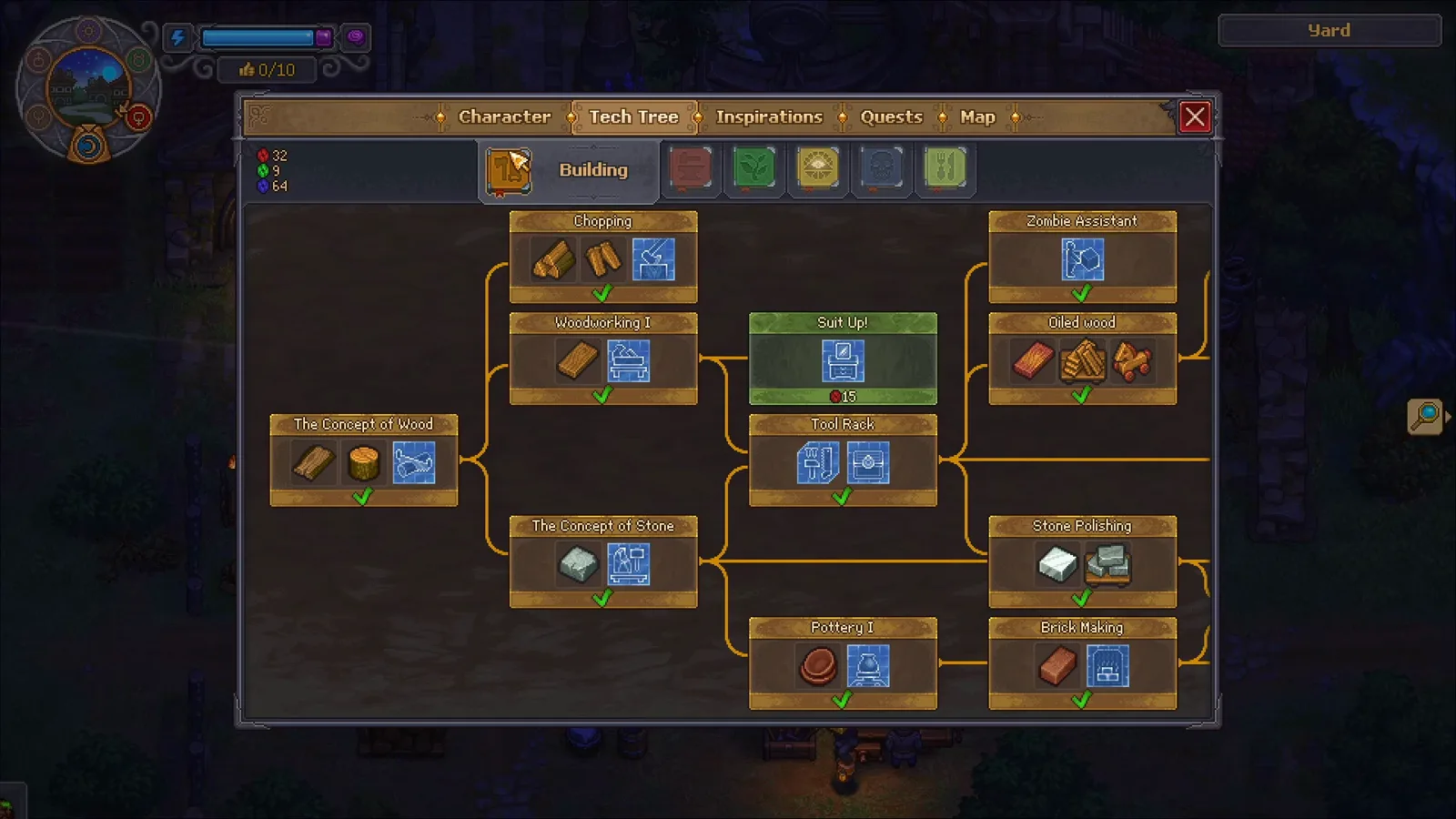
The Suit Up! node sits between the Woodworking I and Tool Rack nodes; the red orb with a 15 under it is the point cost shown while it is selected. Source frame: The Lost Noob at 0:06.
The video’s save had already unlocked the surrounding carpentry and stone nodes, so treat the exact unlock order of your own tree as flexible — what matters is that Suit Up! grants the dresser blueprint.
2. Build the dresser with mirror
Suit Up! adds the Dresser with mirror to the Home build menu. The menu row lists three materials in a have/need format, read directly from the screen in the video:
- 4 Wooden Planks (13 owned, 4 needed)
- 2 Bronze Details (5 owned, 2 needed)
- 2 Glass (12 owned, 2 needed)
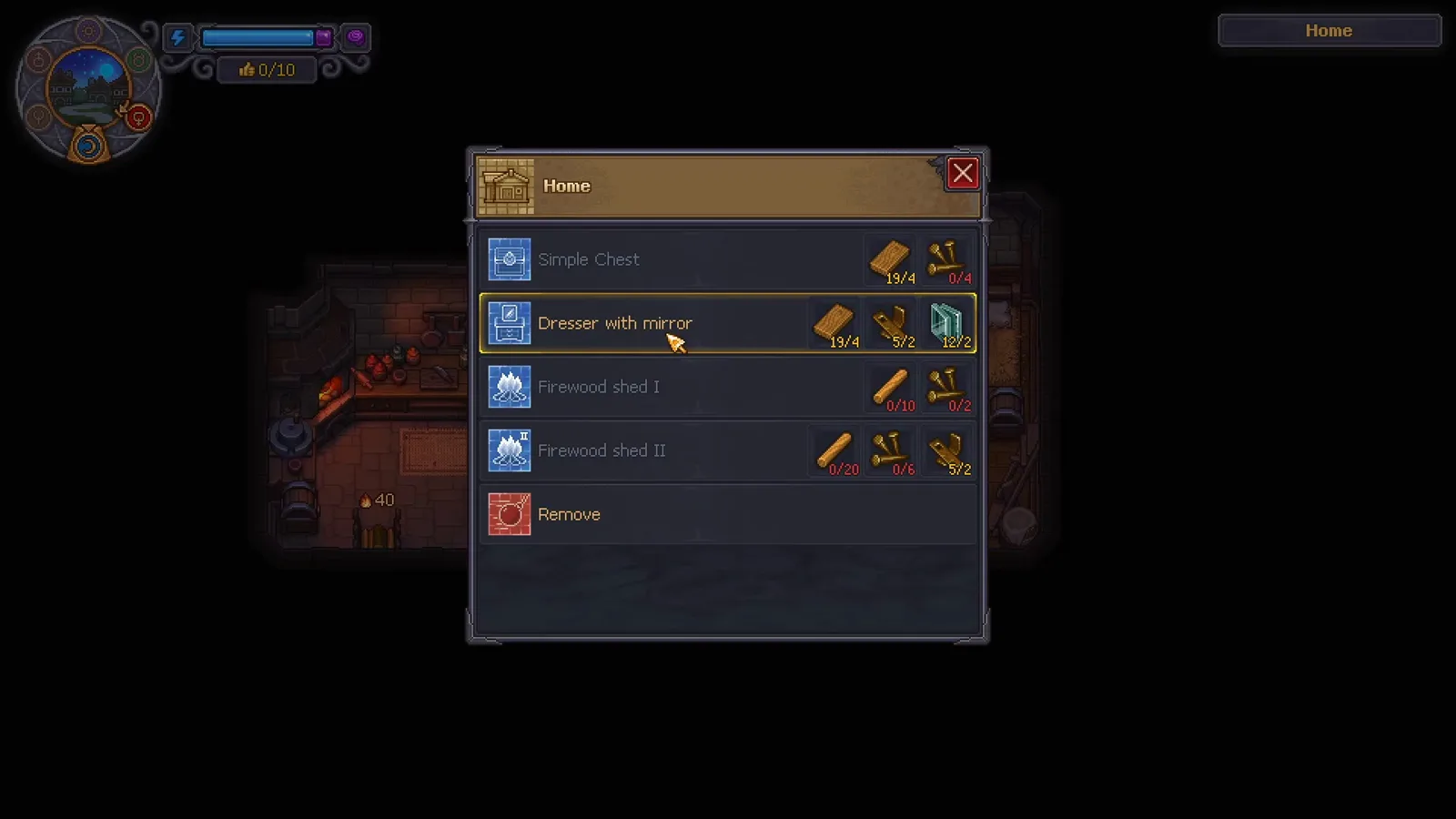
The Dresser with mirror row in the Home menu, with the three material costs beside it. Source frame: The Lost Noob at 0:36.
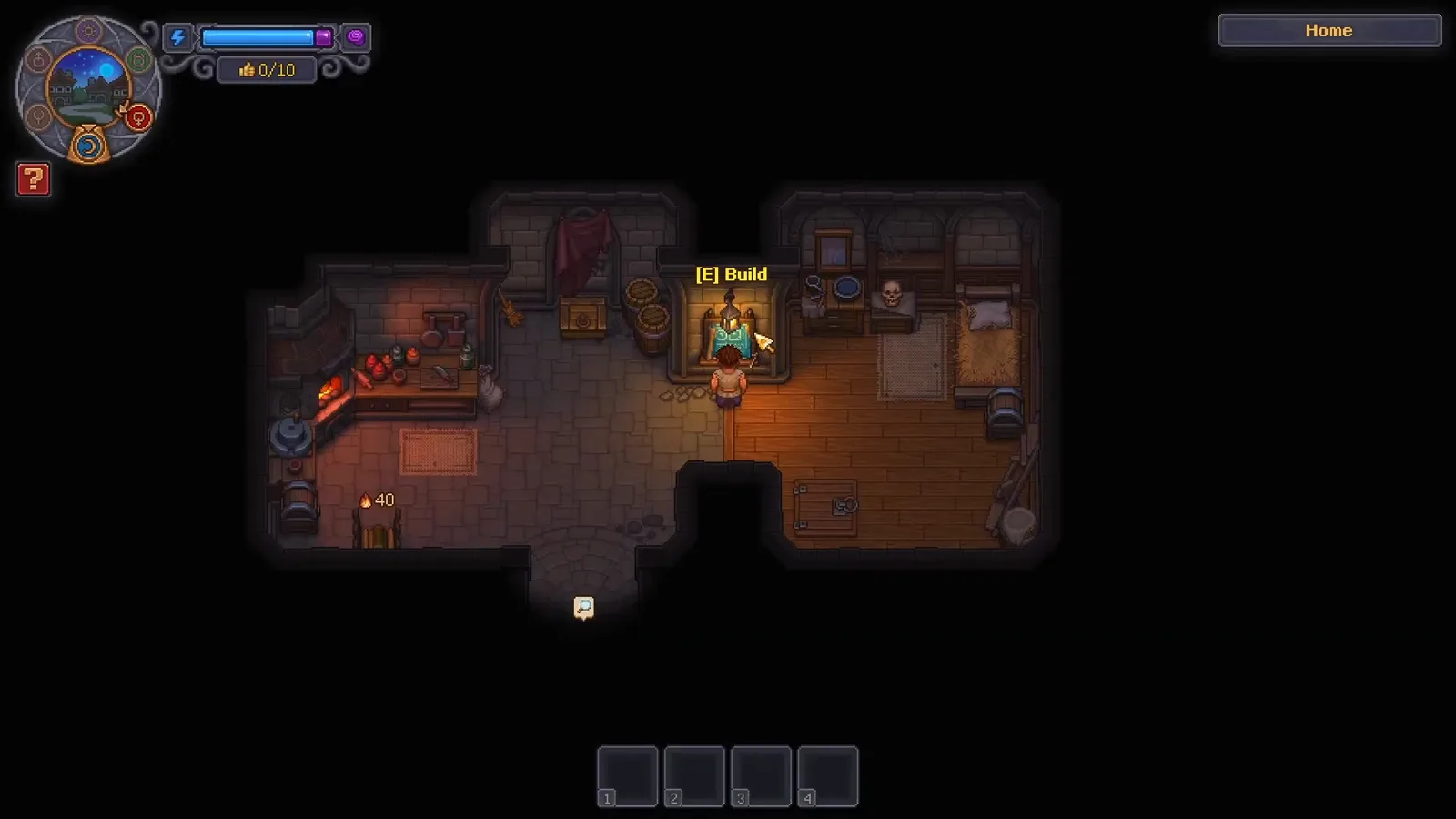
Placement runs on the usual build prompt inside the house. Source frame: The Lost Noob at 0:38.
The narrator notes “there will be no animation, but it will appear right there” — the dresser pops into place instantly once the site is confirmed. If you are short on the materials, the tooltip in the same video shows where one of them comes from:
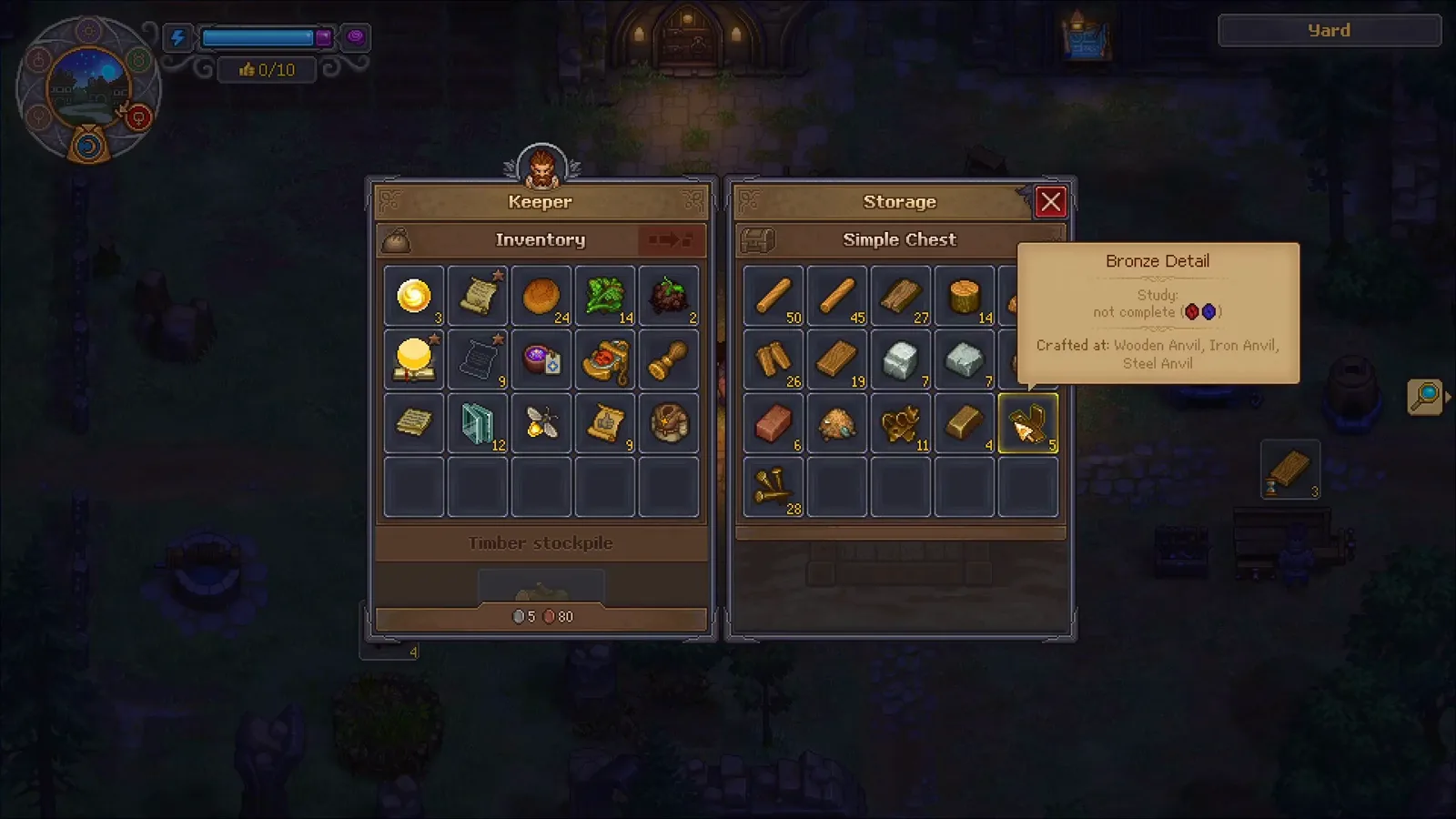
Bronze Details are crafted at the Wooden Anvil (or the Iron and Steel Anvils) and travel through storage like everything else — this save keeps them in a Simple Chest. Source frame: The Lost Noob at 0:26.
Planks, bronze and glass are all ordinary early-production goods; the production calculator can model the chain if you would rather not run out halfway. And because materials pull from containers in the same area, keeping a chest near the house is the same zoning rule the layout guide applies to the yard.
3. Add clothes to your wardrobe
The dresser changes more than hair — it holds your outfits, and outfits are items you find. In the walkthrough the example is Priest’s Clothes sitting in the Character inventory:
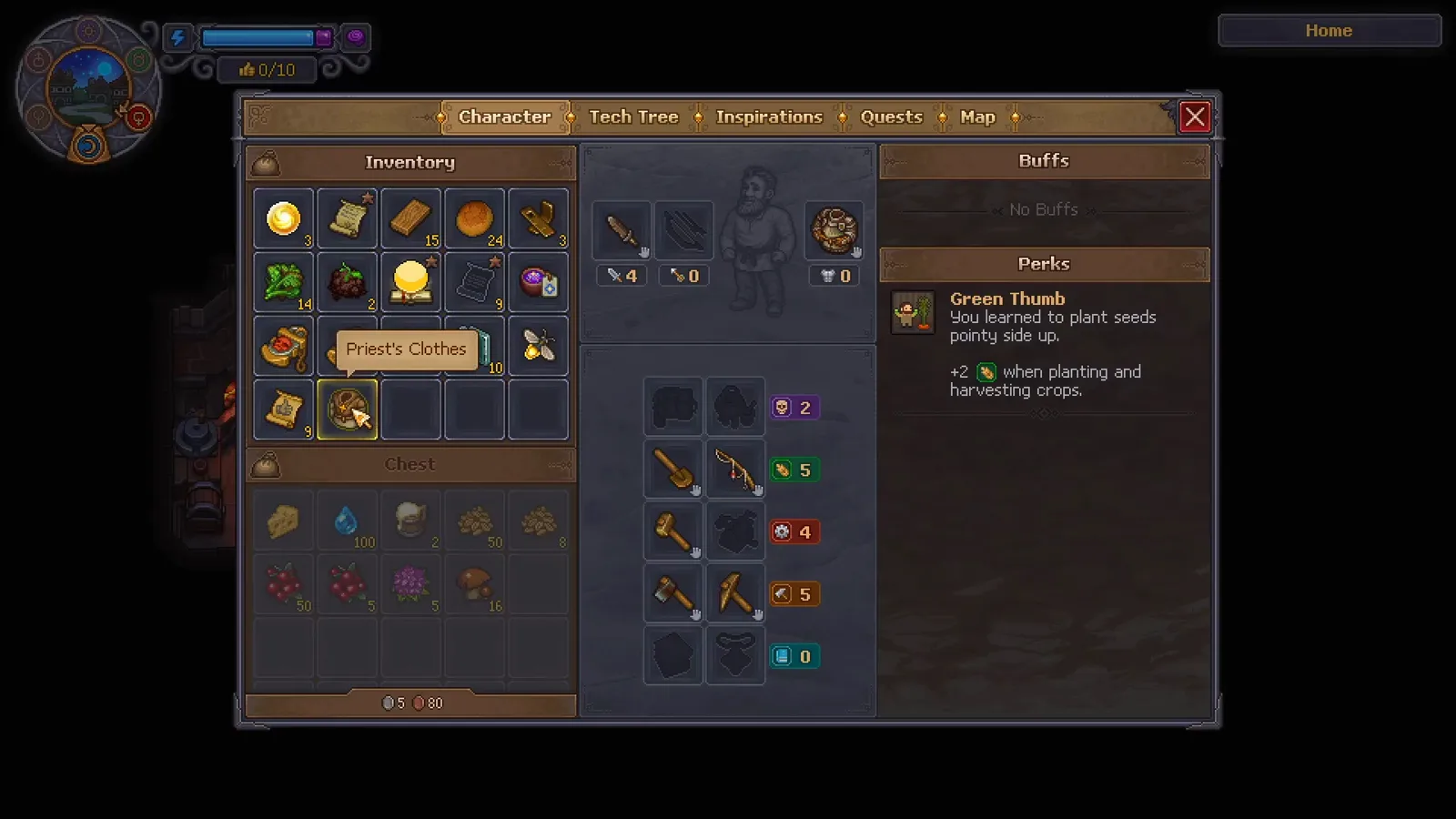
Clothes are regular inventory items — the hovered entry here is the Priest’s Clothes. Source frame: The Lost Noob at 0:47.
The narrator explains what happens when you click one: “you will see in the bottom right corner that they are added to the available clothes.” The notification is on screen:
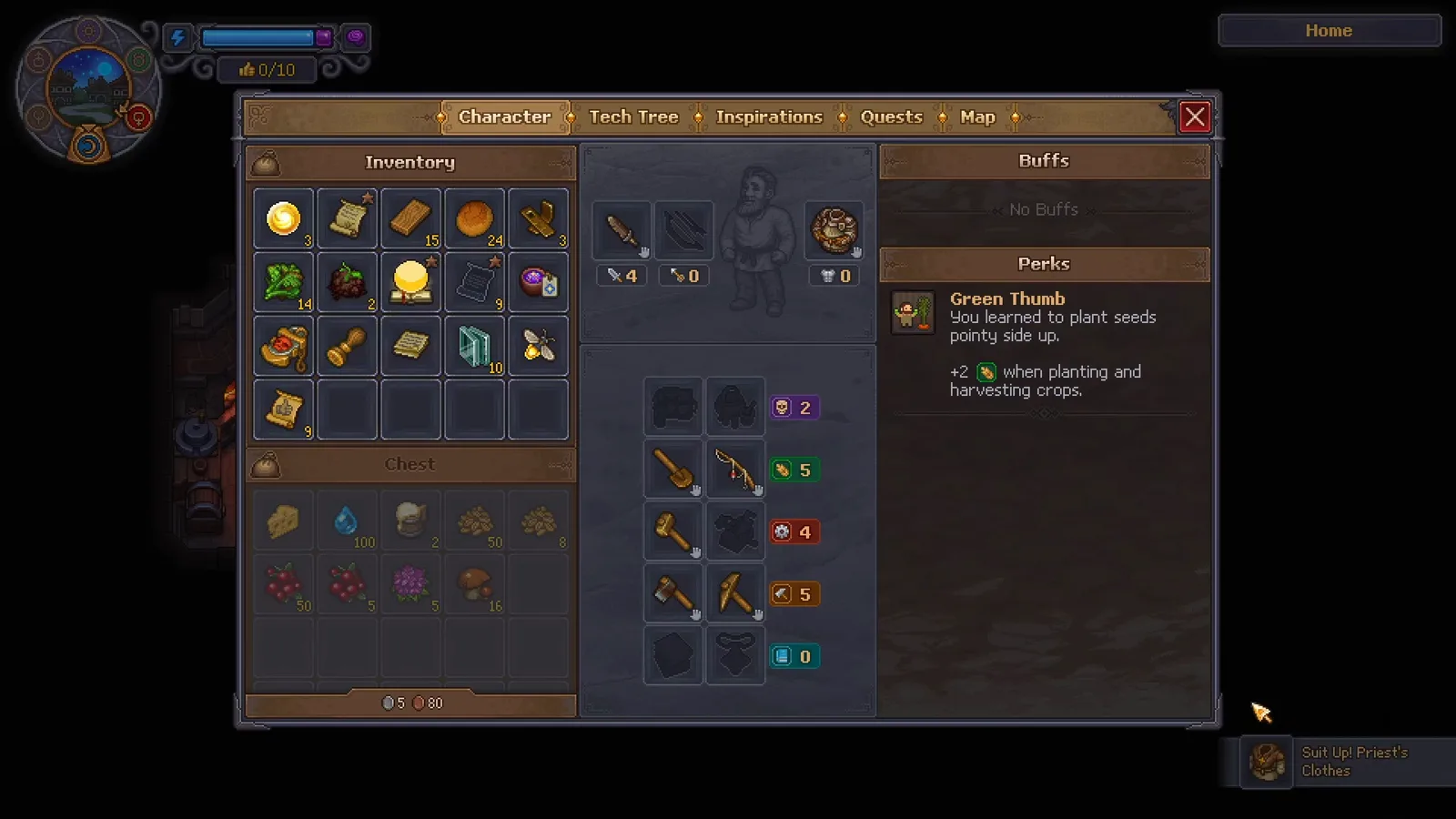
The “Suit Up! Priest’s Clothes” toast in the bottom right corner confirms the item joined the wardrobe. Source frame: The Lost Noob at 0:50.
Clothes accumulate. By day 97 of AmbiguousAmphibian’s 100-day run, the keeper has “collected a lot of clothes” and enough options to pick a craftsman’s outfit for the occasion — so an early game with almost no outfits is normal, not broken.
4. Change your look at the Customization panel
Interact with the dresser and the Customization panel opens:
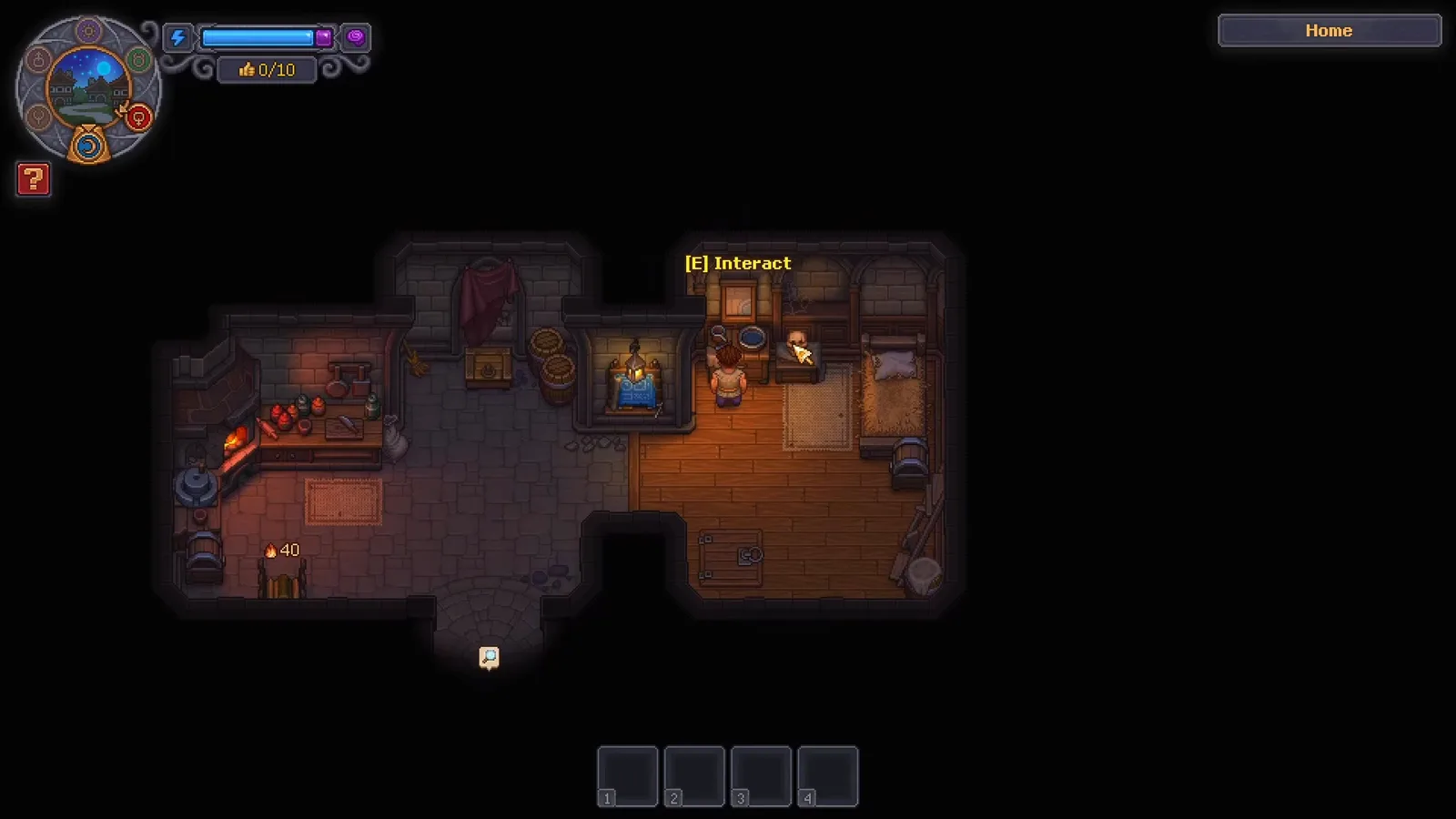
The prompt appears the moment you walk up to the dresser. Source frame: The Lost Noob at 0:54.
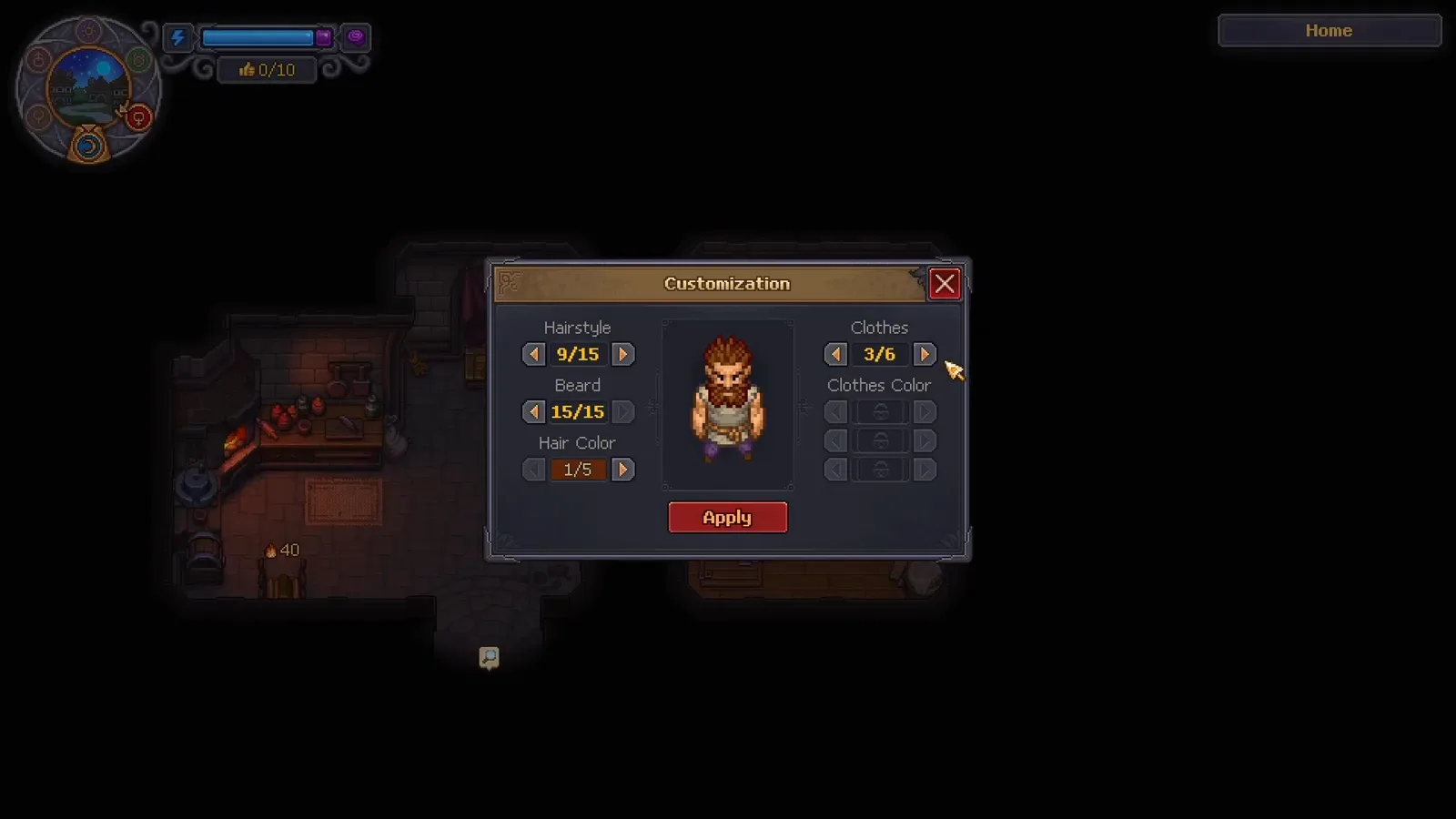
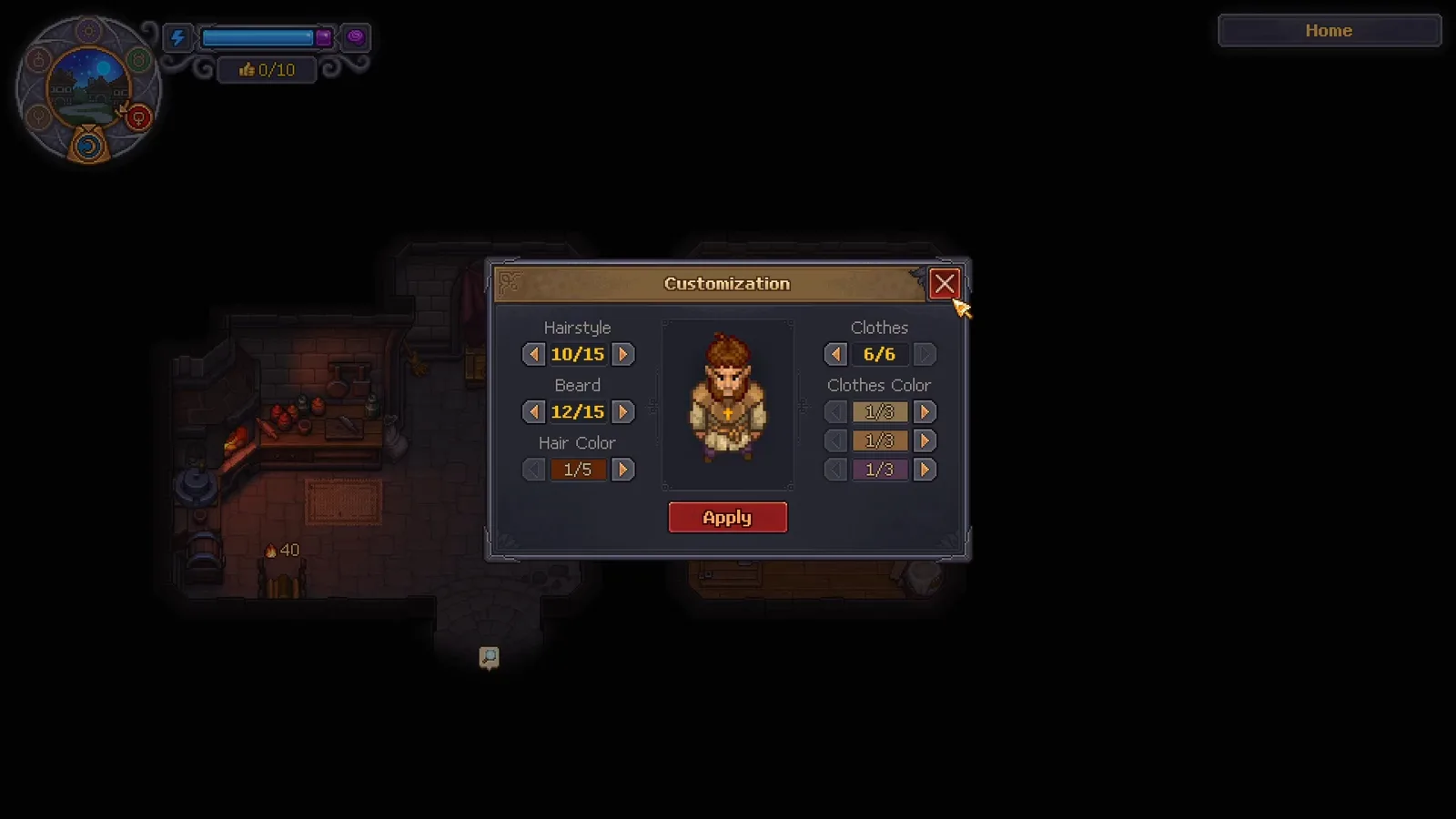
Five rows plus a preview: Hairstyle, Beard and Hair Color on the left; Clothes and Clothes Color on the right; Apply underneath. Source frame: The Lost Noob at 0:56.
Each row cycles with arrow buttons, and the counters in the video read x/15 for hairstyle, x/15 for beard, x/5 for hair color, x/6 for owned clothes, and three clothes-color channels of x/8, x/8 and x/3. The narrator: “You can change your hairstyle. The beard can be changed, as well as different colors.” I’mShawn’s episode shows the same three steps at his dresser — pick a hairstyle, pick a beard (“it’s so weird seeing him without a beard”), pick colors — and closes with “we’re a whole different character now.” Confirm with Apply:
The preview wearing the priest’s clothes with the beard shaved off and a new hairstyle — the look Apply confirms. Source frame: The Lost Noob at 1:06.
What the checked videos do not show
- No gender, body type or skin tone row. The Customization panel in every frame covers hairstyle, beard, hair color, clothes and clothes color — nothing else. Searches that promise a race or gender picker describe a different game.
- Where clothes spawn. The walkthrough says you “find things, for example, such as priest’s clothes” but never shows the source. Do not plan around a location we cannot verify.
- Suit Up! prerequisites. The video’s tree already had the neighboring nodes unlocked, so only the node itself and its 15-point cost are on-screen facts.
- Counter growth. Whether 15 hairstyles is the launch value or grows with patches is unknown; read your own panel.
Customization checklist
- Suit Up! unlocked in the Building category of the tech tree.
- 4 wooden planks, 2 bronze details and 2 glass in storage for the dresser.
- Dresser with mirror placed in the house — it appears instantly, no animation.
- Clothes clicked in inventory so the Suit Up! toast confirms they joined the wardrobe.
- Hairstyle, beard, hair color, clothes and clothes color cycled at the dresser.
- Apply pressed — the preview is only a preview until you do.
Sources and verification
The steps and screenshots were checked on 2026-10-11 against four English-language videos:
- The Lost Noob’s 73-second “How to Customize Your Character - Graveyard Keeper 2” is the primary source and the source of every screenshot: the Suit Up! node, the Home menu costs (4 planks, 2 bronze details, 2 glass), the clothes notification and the Customization panel.
- I’mShawn’s episode “There’s character customization!?” independently shows the dresser panel, the hairstyle and beard changes and the “whole different character” result.
- AmbiguousAmphibian’s 100-day run supplies the long-game view: a wardrobe that has grown into many outfit options, including craftsman’s clothes, by day 97.
- 2005Guyver02’s release-day first look and the PLITCH beginner guide establish the start of the game: New Game leads straight into the story with a fixed keeper and no creator.
One discrepancy worth flagging: some text guides list the dresser’s cost as planks and bronze details only. The Home menu in the checked video shows a third row — 2 Glass — and the narrator names glass as well, so the numbers above follow the screen. Every number on this page is either read off a frame or quoted from a caption; nothing was invented to fill a gap.
Related Articles
items
Graveyard Keeper 2 Teleport Stones — All 11 Milestones and Faith Costs
Graveyard Keeper 2 dropped the Teleportstone item: fast travel runs on 11 Milestones, seven costing Faith 1–8 (23 total), four free. Full cost list inside.
items
Graveyard Keeper 2 Writing Desk — Location, Build Cost and Recipes
The Writing Desk in Graveyard Keeper 2 goes in the Writing Room under your house: 4 planks, 6 nails, 1 polished bronze. Paper and Science Kits for the Study Table.
guides
Graveyard Keeper 2 Gold Guide — Fast Coin & Golden Nuggets
Graveyard Keeper 2 gold means two things: coin income and Golden Nuggets. Follow the water-to-paint sale and the sluice box route, checked frame by frame.
Was this helpful?
Thanks for the feedback!